10 Tips on How to Customize SiteSwan Themes for Clients in the Same Industry
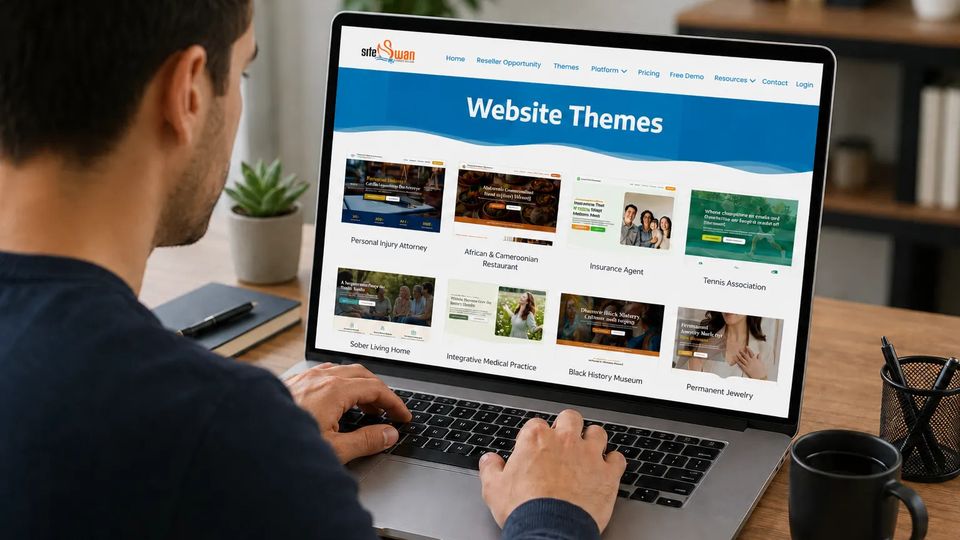
Published on June 1, 2026One of the biggest benefits of using SiteSwan's industry-specific themes is the ability to build professional websites quickly and efficiently. Whether you're creating websites for contractors, restaurants, law firms, landscapers, salons, or other local businesses, SiteSwan's themes provide a solid starting point that can dramatically reduce design time.However, many web designers and agency owners often find themselves building multiple websites within the same industry using the same starting theme. While that may seem limiting at first, the good news is that a theme is simply the foundation.
With a few thoughtful customizations, you can create a website that feels completely unique to each business. Simple changes to colors, images, content, fonts, animations, section dividers, and calls-to-action can transform a standard industry theme into a branded online presence that reflects the client's personality and goals.
Here are 10 easy ways to customize SiteSwan themes for businesses within the same industry. 1. Change the Color Scheme to Match the Brand
Color is one of the most powerful branding tools available. Even when a web designer uses the exact same SiteSwan theme, different color choices can create completely different impressions.
Start by identifying the client's existing brand colors. Use those colors consistently throughout the website for buttons, headlines, backgrounds, icons, and other design elements. This creates a cohesive appearance that reinforces brand recognition.
For example, two roofing companies could use the same theme, but one might use bold red accents to create a strong, energetic feel, while another might use navy blue and gray to communicate professionalism and trustworthiness.
Consistent branding through color helps make the website instantly recognizable and unique. 2. Replace Default Images with Business-Specific Photos
Images have a major impact on how visitors perceive a business. One of the easiest ways to personalize a SiteSwan theme is by replacing stock images with photos that showcase the actual company.
Consider including:
• Team photos• Business locations• Company vehicles• Completed projects• Products and services• Community involvementAuthentic photography helps build trust because visitors can see the people and work behind the business. It also immediately differentiates one website from another, even when both start with the same theme.
Whenever possible, encourage clients to provide high-quality photos that accurately represent their business. 3. Update the Homepage Headline
The homepage headline is often the first message visitors read. While SiteSwan themes include excellent starter content, customizing the headline can make a website much more effective.
Think about what makes the business unique. Do they have decades of experience? Offer emergency services? Focus on customer service? Specialize in a niche area?
The headline should quickly communicate why customers should choose that business over competitors.
A customized headline helps establish the client's unique value proposition and creates a stronger first impression.
4. Customize the Call-to-Action Buttons
Calls-to-action (CTAs) guide visitors toward taking the next step. Instead of leaving generic button text in place, tailor the messaging to fit the business.
Examples include:• Get a Free Quote• Request an Estimate• Schedule a Consultation• Book an Appointment• Call Today• Start Your ProjectSmall changes like these can make the website feel more personalized while encouraging more conversions.
The best CTAs clearly tell visitors what action to take and what they can expect after clicking. 5. Highlight Unique Services
Even businesses in the same industry often offer different specialties and services. A landscaping company may focus on outdoor living spaces while another specializes in lawn maintenance.
A law firm may concentrate on family law while another focuses on estate planning.
Take time to identify the client's strongest services and feature them prominently throughout the website.
You can:
• Reorder service sections• Add more detailed descriptions• Feature specialty services on the homepage• Highlight premium offeringsThis helps visitors quickly understand what makes the business different from competitors. 6. Add the Business's Story
Every business has a unique story, and sharing it can help create stronger connections with potential customers.
The About Us page is one of the best opportunities to personalize a website.
Include information such as:• Company history• Mission and values• Industry experience• Community involvement• Team backgroundsPeople often prefer working with businesses they know and trust. A compelling story helps humanize the company and makes the website feel more authentic.
Even businesses in the same industry can stand apart simply by sharing their unique journey and perspective. 7. Showcase Different Customer Reviews
Customer reviews and testimonials are powerful trust-building tools. They provide social proof and help reassure potential customers that they are making the right choice.
Rather than using generic testimonials, select reviews that highlight the client's specific strengths.
For example:• One contractor's reviews may emphasize reliability and communication.• Another contractor's reviews may focus on craftsmanship and attention to detail.• One restaurant may receive praise for customer service, while another is known for its signature menu items.Displaying reviews that align with the client's brand message helps reinforce what makes their business unique.
8. Use Different Fonts for a Unique Look
Typography can dramatically change the personality of a website without requiring major design changes.
Different fonts create different impressions:• Modern fonts can feel sleek and contemporary.• Traditional fonts often communicate professionalism.• Friendly fonts can make a business seem more approachable.When selecting fonts, focus on readability while choosing styles that align with the client's brand identity.
Even a simple font change can help distinguish two websites that use the same SiteSwan theme. 9. Feature Local Community Connections
Many local businesses thrive because of their connection to the communities they serve. Including location-specific content is a simple way to personalize a website while also supporting local SEO efforts.
Consider highlighting:• Service areas• Local partnerships• Community events• Local awards• Neighborhood expertise• Years serving the communityCustomers often prefer businesses that have strong roots in their area. Localized content helps create trust while making the website more relevant to nearby customers.
This can be especially valuable when multiple businesses in the same industry compete within different geographic markets. 10. Customize the Contact Section and Add Visual Enhancements
The contact section is one of the most important areas of any business website. Making it easy for visitors to connect with the company can improve lead generation and overall user experience.
Customize elements such as:• Contact forms• Appointment requests• Service area information• Business hours• Social media icons• Contact messaging• Lead capture fieldsIn addition to these practical updates, SiteSwan offers visual customization features that can help make a website feel even more unique.
For example, you can add animation effects to images, text, and content sections to create a more engaging browsing experience. You can also experiment with different section dividers to separate content areas and give the website a distinctive visual style.
These small design enhancements can make a significant impact when multiple businesses are using the same industry theme. Combined with custom branding and content, animations and section dividers help create a website that feels unique to the client rather than simply another version of the same template.
Final Thoughts
SiteSwan's industry themes provide web designers with a fast and efficient way to build professional websites, but the real value comes from customization.
A few thoughtful adjustments can transform a standard theme into a website that reflects a client's brand, personality, and business goals. Changes to colors, images, headlines, testimonials, fonts, animations, section dividers, and calls-to-action can help businesses stand out while maintaining the speed and convenience of SiteSwan's platform.
For web designers and agency owners, these customizations offer an excellent opportunity to provide additional value while creating websites that feel truly unique. By applying these 10 simple tips, you can help every client establish a stronger online presence and make a lasting impression on potential customers.